Are you having trouble keeping track of your spending and reaching your financial goals? Understanding your financial landscape is key to making smart money choices.
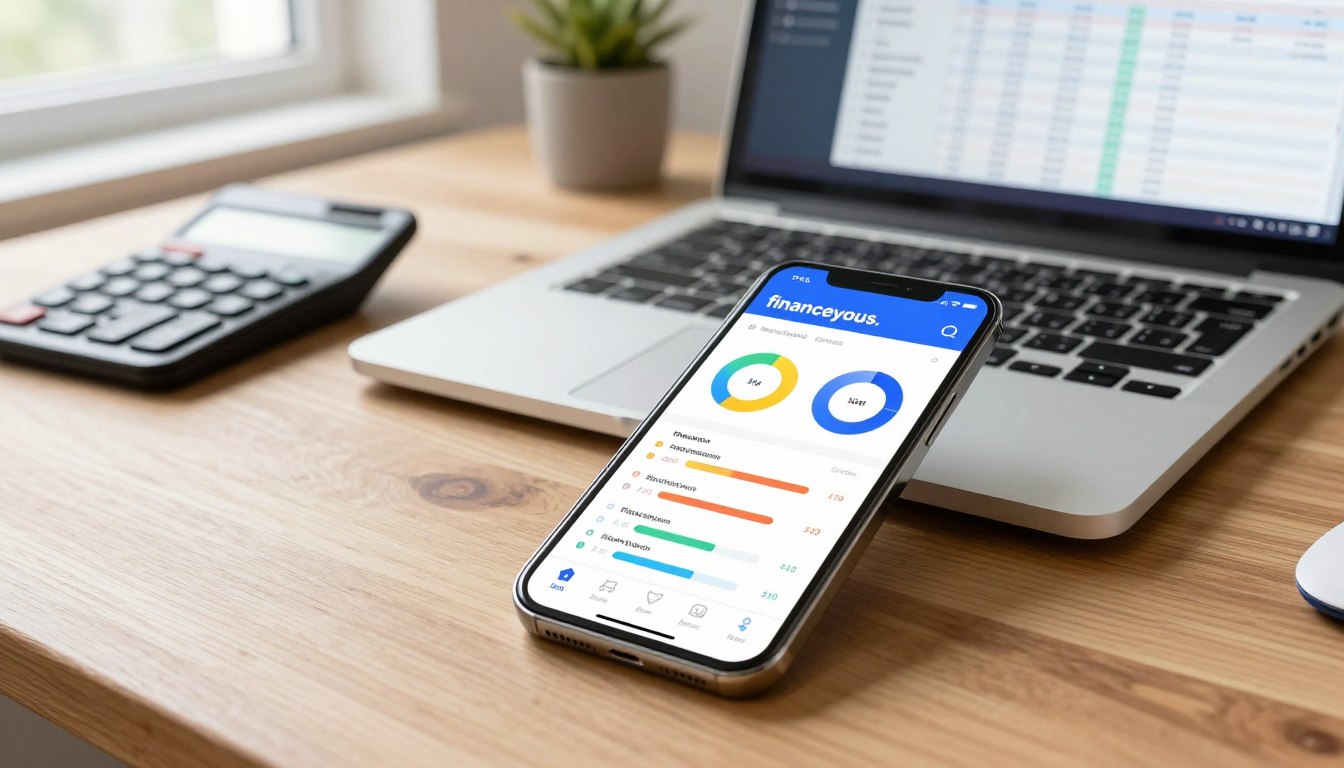
Creating a budget is the first step to financial stability. Financial planning tools help you track your money, find ways to save, and adjust to meet your goals.
Using personal finance software lets you manage your finances better. It helps you work towards big goals like buying a home or saving for retirement.
The Rise of Digital Budgeting Tools in Personal Finance
Now, you have many digital tools to help with your money management. Gone are the days of using notebooks or simple spreadsheets. Today, technology lets you handle your finances better than ever.
From Spreadsheets to AI-Powered Solutions
The change in budgeting software is huge. It has moved from basic spreadsheets to advanced AI tools. This change has changed how we plan our finances.
At first, spreadsheets helped us organize our money. But they needed manual updates and could have mistakes. Then, money management apps came along. They made tracking easier and connected with your bank accounts for updates.
How Technology Has Transformed Money Management
Technology has made expense tracking tools easier to use. Now, you can find tools that save money automatically, track investments, and remind you of bills. These tools help you manage your money better and make smarter choices.
Automated expense tracking
Real-time budget updates
Customizable financial goals
Using these digital tools, you can manage your money better. As technology gets better, these tools will too. They will help you manage your finances even more effectively.
Understanding Your Budgeting Needs and Style
In today’s world, there are many tools for managing money. To use them well, you must know your budgeting style and goals.
Common Budgeting Philosophies and Methods
People have different ways of budgeting. Here are a few:
Zero-based budgeting, where every dollar is accounted for.
Envelope budgeting, which involves allocating cash into different envelopes for various expenses.
50/30/20 budgeting, where 50% of your income goes to necessities, 30% to discretionary spending, and 20% to savings and debt repayment.
Knowing these methods helps pick the right budget tracking apps for you.
Identifying Your Financial Goals and Challenges
To find the best financial management tools, know your financial goals and challenges. Are you saving for something or dealing with debt? Your goals help choose the right tool.
Matching Tools to Your Tech Comfort Level
Your comfort with technology matters too. Some like simple tools, while others prefer complex ones. Financial planning tools vary a lot. Knowing your tech comfort helps pick a tool you’ll use often.
Think about your budgeting style, financial goals, and tech comfort. This helps choose the best digital budgeting tool for you.
All-in-One Financial Management Platforms
All-in-one financial management platforms are changing the game for financial stability. They offer many features to help manage your money better. This includes budgeting, tracking expenses, monitoring investments, and paying bills.
Mint
Mint is a top choice for personal finance software. It has a wide range of features for an all-in-one solution.
Key Features
Budgeting and expense tracking
Bill tracking and payment reminders
Credit score monitoring
Investment tracking
Pros and Cons
Mint is known for its user-friendly interface and many features. But, some users don’t like the advertising and data accuracy issues.
Personal Capital
Personal Capital is a powerful tool for managing your finances. It tracks investments and helps with financial planning.
Key Features
Investment tracking and analysis
Financial planning and retirement planning
Cash flow management
Budgeting
Pros and Cons
Personal Capital’s detailed financial planning is a big plus. But, its complex features might confuse some users.
Quicken
Quicken is a trusted name in personal finance software. It offers many features for different financial needs.
Key Features
Budgeting and expense tracking
Investment tracking
Bill tracking
Financial reporting
Pros and Cons
Quicken’s comprehensive financial reporting is a key feature. But, some find its interface outdated compared to newer tools.
Who Benefits Most from Comprehensive Platforms
These platforms are great for those with complex finances. They have centralized dashboards for managing everything. This makes it easier to keep track of finances and make smart decisions.
Envelope-Based Digital Budgeting Tools
Envelope-based digital budgeting tools help you manage money by setting aside funds for different needs. This method makes it easier to stay within your budget. It works by dividing your money into “envelopes” for different expenses.
YNAB (You Need A Budget)
YNAB is a well-known tool that uses the envelope system. It helps you manage your money by assigning a job to every dollar you earn.
Key Features
Allocates funds to different categories
Tracks expenses in real-time
Offers financial education resources
Pros and Cons
YNAB is easy to use and has great budgeting tools. But, it costs money, which might not be good for everyone.
EveryDollar
EveryDollar is another app that uses the envelope system. It lets you make a budget and track your spending.
Key Features
Simple budgeting interface
Customizable categories
Investment tracking
Pros and Cons
EveryDollar is easy to use and simple. The free version has some limits, but the paid version has more features.
Goodbudget and Mvelopes
Goodbudget and Mvelopes are also envelope-based budgeting tools. They have similar features but with some special touches.
Key Features
Envelope-based budgeting system
Syncs across multiple devices
Customizable budget categories
Pros and Cons
Goodbudget and Mvelopes offer flexible budgeting. Goodbudget is easy to use, and Mvelopes has great bill tracking.
Ideal Users for Envelope Budgeting Systems
Envelope budgeting is best for those who like a hands-on way to manage money. It helps you stick to your budget better.
Bank-Integrated Budgeting Solutions
When looking into digital budgeting tools, you might find your bank has solutions already. These tools are linked to your account, making it easy to track expenses and manage money.
PNC Virtual Wallet
PNC Virtual Wallet is a tool for managing your money. It has many features to help you stay on top of your finances.
Key Features
Budgeting categories to track spending
Alerts for unusual account activity
Bill pay and transfer capabilities
Pros and Cons
PNC Virtual Wallet gives a clear view of your finances and is easy to use. But, it might not have all the features of third-party apps.
Chase Budget Builder
Chase Budget Builder helps you understand your spending and make a budget. It’s a powerful tool for managing your money.
Key Features
Automatic categorization of transactions
Customizable budget categories
Real-time spending updates
Pros and Cons
Chase Budget Builder is easy to use and tracks spending well. But, it might not be flexible enough for complex financial situations.
Capital One Money Management Tools
Capital One has tools that work with its banking products. They give a complete view of your financial health.
Key Features
Transaction tracking and categorization
Budgeting insights and alerts
Goal-setting features
Pros and Cons
Capital One’s tools are easy to use and help set financial goals. But, they might not track investments as well as specialized apps.
Benefits of Using Your Bank’s Native Tools
Using your bank’s tools offers convenience, security, and a complete financial view. They help simplify managing your money and make better financial decisions.
Specialized Digital Budgeting Tools for Specific Financial Goals
Different financial goals need different tools. While big budgeting platforms have lots of features, they might not fit all goals. This section looks at tools for specific goals like paying off debt, saving, and tracking investments.
Debt Payoff Tools: Undebt.it and Debt Payoff Planner
For those aiming to be debt-free, special tools offer clear plans and motivation. Undebt.it helps you make a debt repayment plan by optimizing payments. You input your debts and get a tailored plan. The Debt Payoff Planner app also helps, with reminders and tracking. These tools are great for those needing a detailed plan to pay off debt.
Savings-Focused Apps: Qapital, Digit, and Acorns
Apps like Qapital, Digit, and Acorns help boost savings. Qapital lets you set savings goals and rules. Digit saves money automatically based on your income and expenses. Acorns invests the change from your purchases. These apps make saving easy and less likely to be forgotten.
Investment-Tracking Tools: SigFig and Sharesight
Investors can use SigFig and Sharesight for detailed tracking. SigFig gives analytics on your portfolio, including performance and fees. Sharesight tracks your investments across accounts, helping you understand your portfolio’s performance.
When to Choose Goal-Specific Tools vs. Comprehensive Solutions
Choosing between specialized tools and big budgeting platforms depends on your financial needs. Specialized tools are great for clear goals like debt payoff or saving. But for managing everything, a comprehensive platform might be better. Think about what you need and pick the tool that fits your goals.
Cross-Platform Compatibility and Mobile Features
When picking a digital budgeting tool, think about how well it works on different devices. You might use your phone, tablet, or computer to manage money. Your tool should work well with all these devices.
Best Tools for Multi-Device Users
For those who use many devices, Quicken Simplifi is a top choice. PCMag praises its mobile apps for easy finance tracking. Other great options include:
Mint: Works well on web, iOS, and Android.
Personal Capital: Offers a full financial view on all devices.
YNAB (You Need A Budget): Syncs well across many platforms.
Mobile-Only Solutions Worth Considering
Some apps are made just for mobile use. Digit and Qapital are examples. They help you save money with AI on your phone.
Syncing Capabilities and Real-Time Updates
It’s important for your financial data to sync in real-time across devices. Most tools do this, but some do it better. Look for tools that update instantly and sync automatically.
Choosing a tool that works well on many devices makes managing money easier. You can use it on any device, fitting it into your lifestyle.
Free vs. Paid Digital Budgeting Tools: Value Analysis
When you’re looking at digital budgeting tools, it’s key to know the difference between free and paid options. Your choice can really affect how you manage your money.
Top Free Options and Their Limitations
There are many free digital budgeting tools out there. They offer basic features to help you keep track of your money. Tools like Mint and Personal Capital are great for budgeting and tracking your finances without spending a dime. But, they might not have all the advanced features you need, and you might see ads.
Mint: Offers comprehensive budgeting and bill tracking but may lack advanced investment tracking.
Personal Capital: Provides detailed financial tracking and investment analysis, but some features require manual input.
Premium Features That Justify the Cost
Paid tools like YNAB (You Need A Budget) and Quicken have features that make them worth the money. They offer advanced budgeting, investment tracking, and personalized advice. For example, YNAB’s unique budgeting method and educational resources are very helpful for serious money managers.
Advanced Budgeting: Customizable categories and proactive budgeting.
Investment Tracking: Detailed analysis and tracking of your investments.
Calculating the Return on Investment for Paid Tools
When thinking about paying for a budgeting tool, you should figure out the return on investment (ROI). This means looking at the cost of the tool against the money you might save. For example, if a tool helps you save $500 a month, and it costs $10, it’s a good deal.
To get the most out of your investment, think about your financial goals. Choose a tool that helps you reach those goals, whether it’s saving for something special, paying off debt, or improving your investments. The right tool can make a big difference.
Conclusion: Selecting the Right Digital Budgeting Tool for Your Financial Journey
Choosing the best digital budgeting tool is a personal choice. It depends on your financial needs and goals. Tools like Mint and Personal Capital offer all-in-one financial management. Others, like YNAB, use an envelope system.
Think about your budgeting style, financial goals, and how comfortable you are with technology. The best tool is one that fits your daily life. It should offer the features you need without being too complicated. NerdWallet says the best budgeting app meets your financial goals. Whether you want something free or are willing to pay for premium software, there’s a tool for you. It can help you achieve financial stability.
By looking at your options and picking the right tool, you can manage your finances better. You’ll make informed choices and work towards a secure financial future.